
“`html
How Snapchat’s Map Feature Became Our Secret Weapon for Breaking News in Melbourne, Florida
You know that moment when severe weather rolls through Brevard County and everyone’s phone starts buzzing? That split second when you need to know what’s actually happening right now, not what some news station filmed twenty minutes ago?
Yeah, I’ve been there too. Many times.
As someone who’s covered everything from hurricanes to waterspouts along our coastline, I’ve learned something most people don’t realize: the fastest way to get real-time video isn’t always through traditional news channels. Sometimes, the best footage comes from an app you probably use to send silly face filters to your friends.
I’m talking about Snapchat’s Snap Map feature.
The Hidden Power of Snap Map During Breaking News
Here’s the thing about breaking news in Melbourne, Brevard County, and across Central Florida – it happens fast. Really fast. A tornado warning pops up in Palm Bay, flooding hits downtown Melbourne, or a brush fire breaks out near Viera, and suddenly everyone wants to see what’s going on.
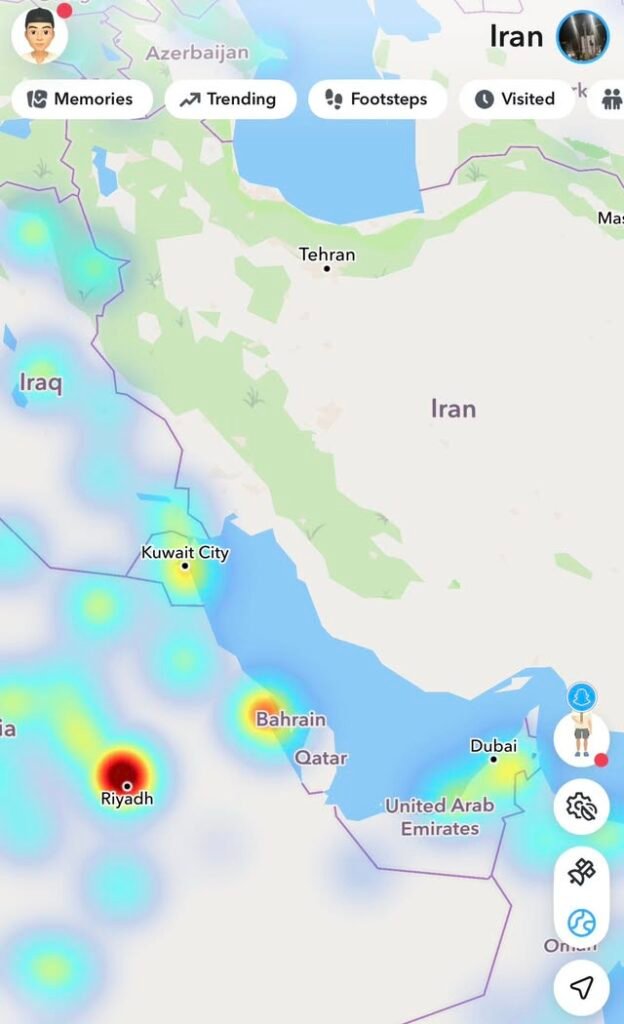
That’s where Snapchat’s map feature becomes incredibly useful. Open the app, pinch to zoom out, and boom – you’ve got a bird’s eye view of public snaps from users all over any location you want to check out.
During recent storms that battered our area, I’ve used this feature to:
- Track real-time conditions across different neighborhoods in Brevard County
- Find videos of flooding on US-1 before official reports came in
- See what the beaches looked like during tropical storm warnings
- Monitor tornado damage in surrounding counties
- Watch how different areas were handling evacuation orders
It’s like having hundreds of citizen journalists scattered across the region, all sharing what they’re seeing right that second.
But Here’s the Catch (And It’s a Big One)
Now, before you start thinking Snap Map is some magic crystal ball of truth, let me pump the brakes real quick.
Not everything you see is legit.
I learned this the hard way during Hurricane Ian coverage. Found what looked like devastating footage from Melbourne Beach, got excited thinking we had exclusive content, and then realized someone had reposted old footage from a completely different storm. Different state. Different year. Same ocean, though, so… that’s something?
Yeah, embarrassing moment avoided, but barely.
How to Spot Fake Videos on Snap Map
You’ve got to develop a keen eye for this stuff. Here’s what I look for when verifying videos from Snapchat or any social media platform:
| Red Flag | What to Check |
|---|---|
| Timestamp doesn’t match | Look at when the snap was posted versus current conditions |
| Wrong landmarks visible | Know your local geography – does that building even exist here? |
| Weather doesn’t align | If it’s supposedly raining in Satellite Beach but sunny in Melbourne, something’s off |
| Too perfect quality | Professional footage often gets stolen and reposted as “amateur” |
| Account history | Check if the user has other posts from the area or if they’re just reposting |
Why This Matters So Much for Brevard County Residents
Living in Melbourne and the surrounding Space Coast area, we deal with unique weather challenges. We’re not just talking about your average afternoon thunderstorm (though we get plenty of those, don’t we?).
We face:
- Hurricane season – From June through November, we’re all amateur meteorologists
- Flooding concerns – Parts of our area flood if someone sneezes too hard
- Tornado warnings – Especially when those tropical systems spin up
- Beach erosion events – Our coastline takes a beating regularly
- Rocket launch impacts – Unique to us, but crowds and traffic are real issues
Having access to real-time, hyperlocal information isn’t just cool – it’s essential. When you need to know if your usual route home is underwater or if that tornado warning is serious business, seeing actual footage from your neighborhood beats watching generic news coverage any day.
How to Use Snap Map Yourself (The Smart Way)
Alright, so you want to tap into this resource yourself? Smart move. Here’s my step-by-step approach when something’s going down in our area:
Step 1: Open Snapchat and pinch the screen to access the map view. You’ll see heat map indicators showing where people are actively posting.
Step 2: Zoom into specific areas of Melbourne, Palm Bay, Cocoa Beach, or wherever you’re concerned about. The interface is pretty intuitive – you can see individual snaps clustered in different spots.
Step 3: Tap on the clusters to view videos and photos. Look for multiple people posting similar content – that’s usually a good sign the footage is legitimate and current.
Step 4: Cross-reference what you’re seeing with official sources. Don’t just trust one random snap. Check it against what the National Weather Service, local emergency management, or trusted news outlets are reporting.
Step 5: Stay skeptical. Always. If something seems too dramatic or doesn’t quite match what you know about the situation, dig deeper before believing it or – heaven forbid – sharing it.
The Ethics of Using User-Generated Content
Quick sidebar here because this matters: just because someone posted something publicly doesn’t always mean it’s cool to grab and reshare everywhere. I always try to reach out to the original poster when possible, give credit, and respect people’s privacy even when they’ve shared publicly.
During emergencies, people are scared and vulnerable. The last thing I want is to exploit someone’s worst moment for clicks.
Beyond Weather: Other Uses for Snap Map in Brevard
Once you get comfortable with this tool, you’ll realize it’s not just for storm coverage. I’ve used it to check out:
- Crowd sizes at local events before heading out
- Traffic situations during rocket launches (crucial intel, trust me)
- What’s happening at the beach before making the drive
- Local festivals and gatherings around town
- Breaking situations like accidents or emergency responses
It’s basically a real-time pulse of what’s happening in our community right now.
The Bigger Picture: Citizen Journalism in the Digital Age
Look, I’m not going to pretend traditional journalism is dead or that random Snapchat videos should replace professional reporting. That’s nonsense.
But what we’re seeing is an evolution. We all carry high-quality cameras in our pockets now. We’re all potential witnesses to important events. And platforms like Snapchat make it ridiculously easy to share what we’re seeing with the world.
The trick is finding the balance – using